Finding songs quickly
Have you seen markers like FESTiVAL ? You can use them to find songs a little faster.
Preparation
1
On the song-select screen, press the buttons in the middle of the cabinet at the same time.
2
When the screen below appears, set Filtering to Version and Sorting to RECOMMENDED.

How to use
1
Open the version folder.
2
Check the top-right of the song list. Scroll left or right until the "X / Y" marker matches the one shown in maishift.
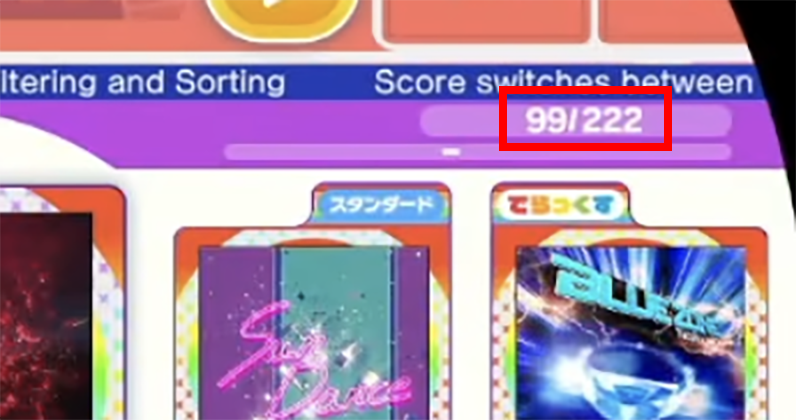 Tip: On the song-select screen, slide the very center of the screen left or right to scroll quickly.
For the two latest versions
The songs shown can differ from person to person depending on unlock progress, so this may not be exact.
It's still useful as a rough guide to where a song sits; in that case a question mark (?) appears after the song's order number.